About APPatient
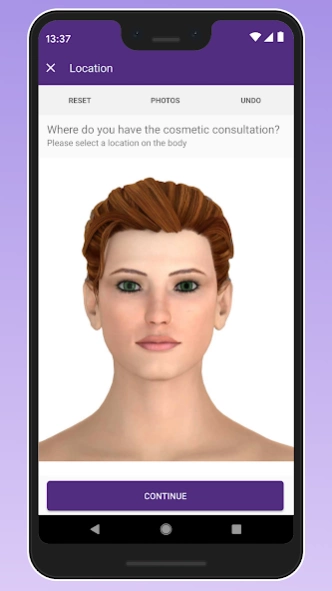
Welcome to APPatient™, the end-to-end patient engagement app created for Modernizing Medicine(R) patients and providers. APPatient™ is a mobile, fully-functional patient engagement app that can help both patients and...
Welcome to APPatient™, the end-to-end patient engagement app created for Modernizing Medicine® patients and providers.
APPatient™ is a mobile, fully-functional patient engagement app that can help both patients and providers save time. Patients can access telehealth and information, and push notifications can keep them up to date on primary medical concerns. Practices with Premium Patient Connect can take advantage of 24-hour online check-in, expediting intake paperwork. It can also help providers treat patients on the go.
APPatient Patient Benefits:
- Chat allows you to communicate with your healthcare team.
- Request prescription refills from your phone.
- Access your medical records on the go.
APPatient Provider Benefits:
- Allows patients to access their healthcare records directly.
- Communicate with patients.
- Access patient information stored in EMA® from your phone.
- Lab and test results can be accessed by patients.
- Use your existing Patient Portal username and password to log in.
For log in assistance, please contact your physician’s office.
Previous Versions
Here you can find the changelog of APPatient since it was posted on our website on 2017-01-06 02:18:35.
The latest version is 7.5.0 and it was updated on 2024-04-19 17:41:09. See below the changes in each version.
APPatient version 7.5.0 (aededca36)
Updated At: 2024-02-12
APPatient version 7.3.0 (a06445a7e)
Updated At: 2023-11-14
Changes: Bug fixes and performance improvements.
APPatient version 7.2.0 (bd295312b)
Updated At: 2023-04-07
Changes: Bug fixes
APPatient version 2.3.3 (aeade2cd)
Updated At: 2020-03-24
Changes: Adds support for video conferencing.
APPatient version 1.1.2
Updated At: 2017-01-02
Changes: • Security fixes/enhancements.,• Bug fixes.
Disclaimer
Official Google Play Link
We do not host APPatient on our servers. We did not scan it for viruses, adware, spyware or other type of malware. This app is hosted by Google and passed their terms and conditions to be listed there. We recommend caution when installing it.
The Google Play link for APPatient is provided to you by apps112.com without any warranties, representations or guarantees of any kind, so access it at your own risk.
If you have questions regarding this particular app contact the publisher directly. For questions about the functionalities of apps112.com contact us.